When Older Guests Won't Scan QR Codes
Your servers are stuck explaining QR codes while tables wait. Learn three simple shifts that get older guests scanning without slowing service.
The Frustrating Table That Slows Everything Down
When older guests won't scan QR codes, you're not just dealing with a technology issue. You're watching your service flow break down in real time.
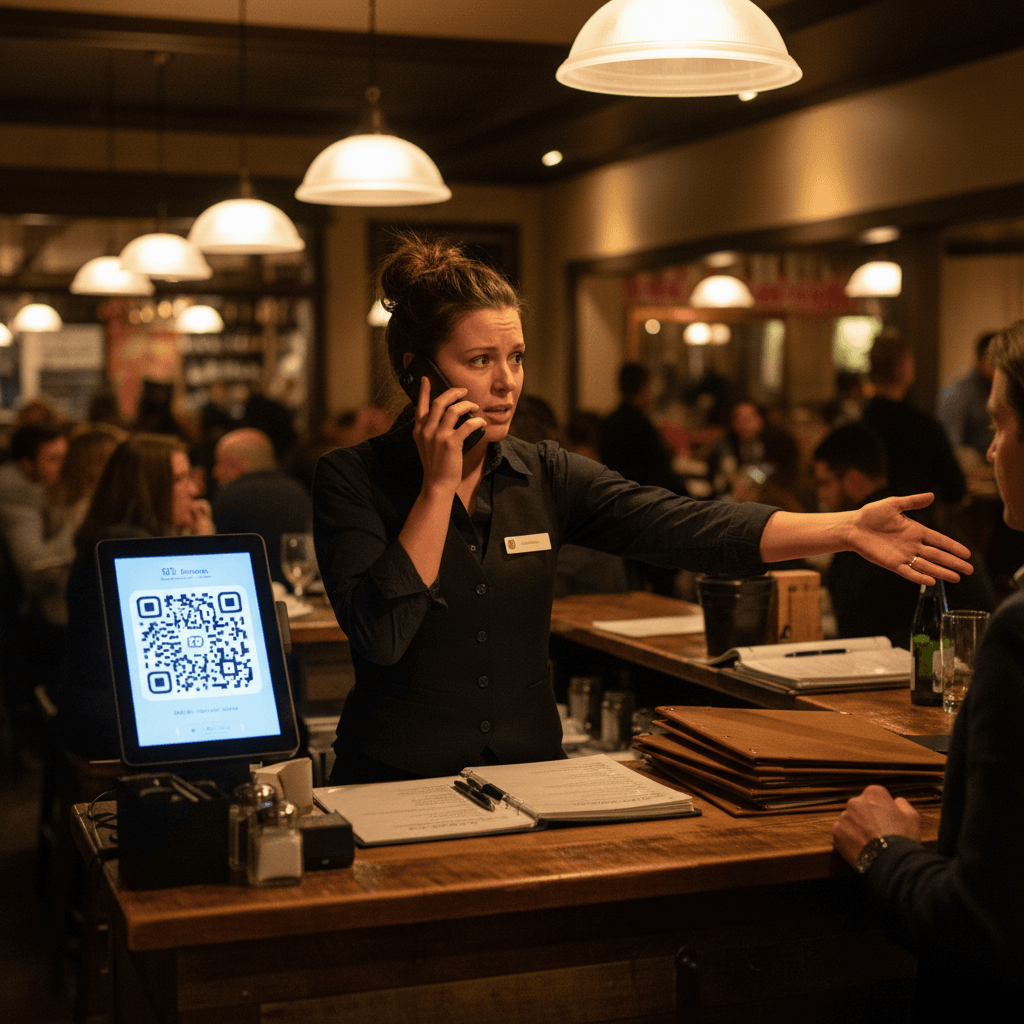
You know the scene. It's Friday dinner rush, 7:15 PM. Your strongest server is crouched beside table four, holding an older couple's phone at arm's length, trying to get the camera to focus on the QR code. Three other tables are waiting for drink orders. The expo station is calling three tickets at once. That server should be taking orders or running food, but instead they're playing tech support. After three minutes of struggling, the guests finally ask for a paper menu. Now you have one server stuck, orders backing up, and the entire section timing out. This isn't about stubbornness or resistance - it's about your operation hitting a predictable bottleneck that costs you money every shift.
The math is simple. Five minutes of server time explaining technology equals three missed drink orders, two delayed food runs, and one frustrated table that might not return. That server's attention is your most valuable resource during peak hours. When they're teaching camera functions instead of serving, you're losing revenue directly from your floor capacity. This connects to the broader operational strategy we cover in QR Codes in Restaurants: A Practical Guide, which breaks down how to implement digital tools without sacrificing service speed.
The Rule: Your servers are not tech support. Their job is hospitality, not troubleshooting smartphone cameras.
Stop Explaining, Start Showing
The transition from that frustrating scene to smooth service starts with a simple mindset shift. Stop treating this as an explanation problem and start treating it as a demonstration opportunity.
The hard truth: Verbal explanations don't work for QR code scanning. You've heard your servers say "You need to open your camera app" or "Hold it steady about six inches away." The guest nods politely while their phone sits untouched on the table. They're not resisting - they're processing too many steps at once while feeling self-conscious about their technical skills. The solution isn't better explanations. It's eliminating explanations altogether.
Train your staff to show, not tell. The physical shift changes everything. Instead of saying "You need to scan this," servers say "Let me show you how this works." They take their own phone (or the guest's device with permission) and physically demonstrate the scanning motion. They hold the phone at the right distance, point to where the camera needs to focus, and show what happens when it works. This cuts interaction time from three minutes of back-and-forth to thirty seconds of clear demonstration.
Practice this during pre-shift meetings. Have servers role-play with each other's phones. The goal isn't to make them technology experts - it's to make them confident demonstrators. When a server can smoothly show the scanning process without hesitation, older guests feel supported rather than embarrassed. They see it's simple rather than hearing it's simple.
Watch for the Handoff Moment
The demonstration alone isn't enough if servers walk away too soon. The bottleneck often happens during what I call the handoff moment - that critical transition where responsibility shifts from server to guest.
You've seen this pattern: A server drops off table tents with QR codes, gives a quick explanation, and moves to their next task. They assume guests will figure it out independently. Five minutes later, they return to find the same guests still staring at their phones, camera app open but not scanning, looking confused and slightly annoyed. Now the server has to start over from scratch, wasting more time and creating frustration on both sides.
The pivot point is training servers to watch for successful handoff completion. They don't leave until they see evidence that guests are actually viewing the menu on their screens. This doesn't mean hovering awkwardly - it means staying engaged for those extra fifteen seconds that make all the difference.
Here's how it works in practice: After demonstrating with their own phone, the server says "Now let's try it with yours." They guide the guest through opening their camera app (if needed), then watch as they attempt the scan. When the menu loads successfully on the guest's screen, that's the handoff moment complete. Only then does the server say "Perfect! Take your time browsing - I'll be back in a few minutes for drink orders."
This extra attention prevents those five-minute delays where nothing happens at the table. It ensures guests are actually using the system rather than pretending to understand it. Most importantly, it builds confidence - when older guests successfully scan on their first try with guidance, they're much more likely to use QR codes confidently on future visits.
Your New Opening Routine
Consistency turns these techniques from occasional successes into reliable systems. The difference between a restaurant that struggles with QR code adoption and one that flows smoothly comes down to daily reinforcement.
Start every shift with a two-minute briefing focused specifically on QR code assistance. This isn't a general service reminder - it's targeted operational training. During pre-shift huddle, managers should say "Tonight we're focusing on smooth QR code handoffs with older guests." Then role-play specific scenarios: "Table six has an older couple who look unsure about their phones." Have servers practice the physical demonstration with each other's devices.
Keep backup paper menus visible but don't offer them first. This psychological detail matters more than you might think. When paper menus are hidden away or treated as a secret option, servers tend to offer them immediately to avoid awkward conversations. When they're visibly available (perhaps in a neat stack at the host stand or server station), they serve as a safety net without becoming the default choice.
The placement creates subconscious confidence for both staff and guests. Servers know they have an escape route if absolutely necessary, so they approach QR code demonstrations with more patience and less anxiety. Older guests who see paper menus available feel less pressured - they know they have options if technology fails them completely.
This approach transforms what was once a service obstacle into a hospitality opportunity. Instead of frustrated servers and embarrassed guests, you create moments where older patrons feel genuinely cared for and technologically empowered. Your staff spends less time explaining and more time serving drinks and food where it matters most.
Taking the Next Step
These manual fixes work because they address human behavior directly on your restaurant floor. The logic is clear: when you train servers to demonstrate rather than explain, watch for successful handoffs instead of assuming understanding, and reinforce these habits daily through targeted briefings, you turn technology barriers into service advantages.
The techniques require no special equipment or software - just consistent management attention and staff training focused on observable actions rather than abstract concepts.
If you're ready to implement these changes systematically across all your shifts while reducing the manual oversight required, modern digital ordering platforms can automate much of this workflow behind the scenes. They handle menu presentation consistently while giving your staff more bandwidth for genuine hospitality moments rather than technical demonstrations.
Start by viewing our pricing options designed for operations like yours, then start a free trial to test these approaches during your next busy service period without commitment